
Download DialogsEXE – ActiveX GUI Builder for Windows Scripts
Overview
DialogsEXE is a lightweight 32‑bit ActiveX EXE component that brings a full‑featured graphical user interface to any Windows‑based scripting environment. Whether you are writing simple Windows Script Host (WSH) scripts, automating tasks with PowerShell, or building quick prototypes in VBScript, DialogsEXE lets you design custom forms without opening a heavyweight IDE such as Visual Studio. The component runs out‑of‑process, which means it can be called from both 32‑bit and 64‑bit applications while preserving stability and memory isolation. Its API covers everything from basic dialog boxes and message prompts to complex multi‑page windows, dynamic control loading, and runtime theming. Because DialogsEXE is an ActiveX EXE rather than an in‑process DLL, it sidesteps many of the registration headaches that plague traditional COM controls, making deployment as easy as copying a single executable to the target machine. This review walks through the most relevant aspects of DialogsEXE, helping developers decide whether it fits their workflow, and provides a step‑by‑step guide to getting the component up and running.
Core Features
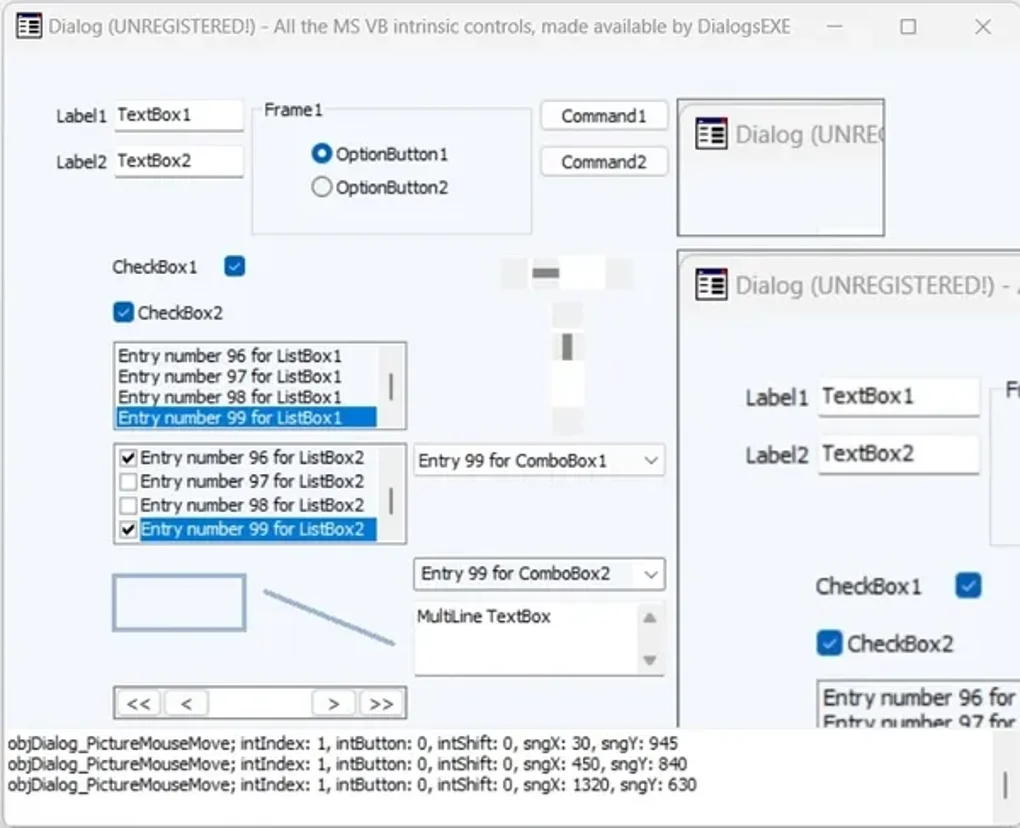
- Drag‑and‑Drop Form Designer: Build windows, buttons, text boxes, list views and more using a visual designer that outputs ready‑to‑use script code.
- Full API for Runtime Control: Add, remove, or modify controls on the fly through a comprehensive COM‑exposed API.
- Out‑of‑Process Architecture: Runs in its own process space, guaranteeing compatibility with both 32‑bit and 64‑bit host scripts.
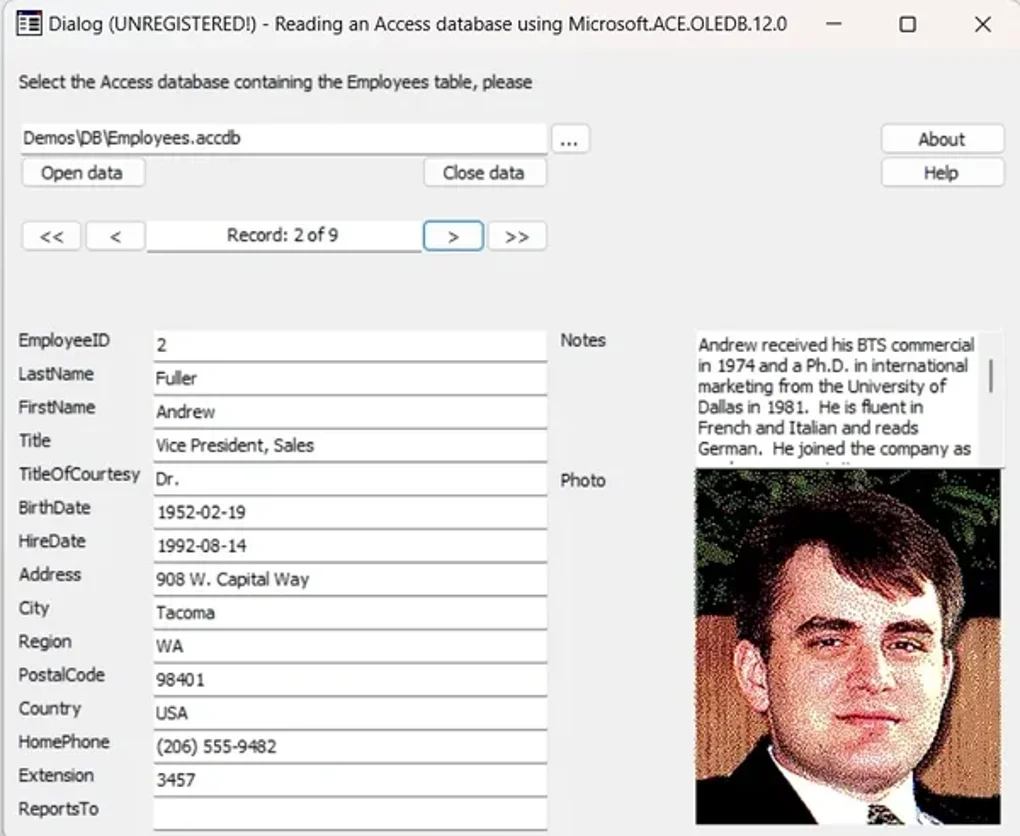
- Dynamic ActiveX Loading: Load any additional ActiveX control at runtime without recompiling your script.
- Cross‑Language Support: Accessible from WSH, PowerShell, VBScript, JScript, and any language that can instantiate COM objects.
- Theme and Skin Support: Apply visual styles or custom skins to match corporate branding or user preferences.
- Event‑Driven Model: Hook into button clicks, form load, and control change events using simple callback functions.
- Lightweight Distribution: A single 200 KB EXE file that can be bundled with your script package.
- Secure Execution: Operates with standard Windows user permissions; no elevated privileges required unless your script explicitly requests them.
Installation & Usage Guide
Getting DialogsEXE onto your development machine is intentionally straightforward. Follow these steps to ensure a smooth setup:
- Download the Installer: Visit the official product page and click the “Download DialogsEXE” button. The file is named
DialogsEXE-Setup.exeand is digitally signed for authenticity. - Run the Installer: Double‑click the installer. Because the component is an out‑of‑process EXE, no system‑wide registration is required. The wizard will ask you to choose an installation folder—default to
C:\Program Files\DialogsEXEfor best compatibility. - Verify the Installation: Open a Command Prompt and type
DialogsEXE /?. You should see a short help message confirming that the executable is reachable via the system PATH. - Create a Simple Form: Launch the visual designer by running
DialogsEXEDesigner.exe. Drag a label, a text box, and two buttons onto the canvas. Use the property grid to set captions and default values. When you’re satisfied, click Generate Script to export the form definition as VBScript or PowerShell code. - Integrate with Your Script: In your script, instantiate the component with:
Set dlg = CreateObject("DialogsEXE.Application")
Then load the generated form file:dlg.LoadForm "MyForm.dlg". Attach event handlers using theOnEventmethod, for example:
dlg.OnEvent "ButtonOK_Click", "HandleOK" - Run and Debug: Execute your script as you normally would. The form appears as a separate window, and any interaction triggers the callbacks you defined. Use the built‑in logging option (
dlg.EnableLogging True) to capture runtime messages for troubleshooting.
Because DialogsEXE does not rely on heavy runtime libraries, it works on Windows 7, 8, 10, and 11 without additional redistributables. For PowerShell users, the component can be imported with the New-Object -ComObject cmdlet, making it a natural extension to existing automation pipelines.
Compatibility, Pros & Cons, FAQ & Conclusion
Compatibility
DialogsEXE is built for the Windows desktop environment and supports every modern version from Windows 7 onward. The 32‑bit binary runs seamlessly on 64‑bit systems because it executes out‑of‑process, avoiding the classic “DLL‑bitness mismatch” problem. The component works with any scripting host that can create COM objects, including:
- Windows Script Host (cscript.exe / wscript.exe)
- PowerShell 5.x and later
- VBScript and JScript files
- Legacy HTA applications
There is no native support for non‑Windows platforms, but you can run DialogsEXE inside a Windows virtual machine or via Wine if needed.
Pros & Cons
- Easy visual form design without a full IDE.
- Out‑of‑process execution guarantees stability across 32‑ and 64‑bit hosts.
- Small footprint – only a single executable to distribute.
- Extensive API that covers most GUI needs.
- Works with any COM‑capable language, offering great flexibility.
- Limited to Windows – no native macOS or Linux support.
- Being a 32‑bit component, it cannot directly host 64‑bit ActiveX controls.
- Advanced UI effects (animations, modern XAML) are outside its scope.
- Requires basic knowledge of COM object handling for complex scenarios.
FAQ
Can DialogsEXE be used in a PowerShell script?
Yes. PowerShell can instantiate DialogsEXE via New-Object -ComObject DialogsEXE.Application. After loading a form, you can attach PowerShell functions to button click events using the OnEvent method.
Is the component free to use?
DialogsEXE offers a free trial with full feature access for 30 days. After the trial, a one‑time license fee is required for continued use.
Does DialogsEXE support custom icons and images?
Yes. You can assign custom icons to windows and buttons through the designer or via the API at runtime. Image controls are also available for displaying pictures.
How secure is the out‑of‑process execution model?
Running as a separate process isolates the GUI component from the host script, reducing the risk of crashes propagating to the main application. The EXE runs with the same user privileges as the calling script, so it respects standard Windows security policies.
Can I load additional ActiveX controls dynamically?
Absolutely. DialogsEXE provides a LoadActiveX method that accepts a CLSID or ProgID, allowing you to embed third‑party controls such as WebBrowser, MSChart, or custom COM components at runtime.
Conclusion & Call to Action
DialogsEXE fills a niche that many Windows script developers have long been missing: a quick, visual way to add professional‑looking dialogs without the overhead of a full development environment. Its out‑of‑process design guarantees compatibility across the broad Windows ecosystem, while the feature‑rich API empowers power users to craft sophisticated interfaces. Although it is Windows‑only and limited to 32‑bit ActiveX, the trade‑off is a tiny deployment package and a gentle learning curve. If you regularly write automation scripts, admin tools, or lightweight utilities and want to give them a polished UI, DialogsEXE is a compelling addition to your toolbox.
Ready to elevate your scripts? Download DialogsEXE now, try the 30‑day free trial, and experience how easy GUI creation can be for Windows scripting.
Overall Rating: 4.5/5 – A solid, lightweight solution for adding GUIs to scripts.







